
The habit trackers where points buy rewards you choose are Habit Rewards (ours), Habitica, LifeUp / ulives, Rewardly, HabitScore, Fun Habit, and Goal Tracker and To Do. Each habit earns points, you write your own list of rewards, and you claim one when your balance covers it.
One of them is ours, Habit Rewards. We read all seven from their own App Store and Google Play pages on November 12, 2026, we’re not affiliated with the other six, and we’ve described them from those pages.
Last updated: November 12, 2026. Prices, ratings and platforms were checked that day.
Key takeaways
- A real reward system means each habit earns points and you spend them on rewards you list and price yourself; badges, streak flames and pet clothes don't count.
- The plainest ones, with no game around the points, are Habit Rewards, HabitScore and Rewardly; Habitica, LifeUp and ulives put the rewards inside a game.
- Five run on both iPhone and Android: Habit Rewards, Habitica, ulives, Rewardly, and Goal Tracker and To Do. LifeUp is Android only, HabitScore has no Android app that we could find, and Fun Habit's App Store app is for iPhone and iPad.
- Every app here except LifeUp is free to start (Habit Rewards is free for three habits and three rewards); LifeUp is a one-time $4.99 purchase on Google Play, and its newer app ulives is free to start.
- Dailies was on this list in October, but its store pages no longer mention coins, points or a shop, so it is out.
Which habit apps let your points buy rewards you choose?
| App | How habits reward you | Rewards you set and price yourself | Best for | Platforms | US price | US App Store ratings |
|---|---|---|---|---|---|---|
| Habit Rewards (ours) | Coins: 1, 4, 8 or 16 per habit, or your own number | Yes: a reward list with coin prices | Treats you choose, with no game around them | iPhone, Android | Free for 3 habits; Pro $29.99/year with a 7-day trial | 124 |
| Habitica | Gold and XP for an RPG avatar | Yes: custom rewards in the Rewards column | RPG fans who want friends keeping them honest | iPhone, Android, web | Free; optional subscription $4.99/month to $47.99/year | 3,679 |
| LifeUp and ulives | Coins and XP toward skills you define | Yes: a shop you stock, with stock limits and loot boxes | People who enjoy designing every rule | LifeUp: Android. ulives: iPhone, Android | LifeUp $4.99 once; ulives free with a $9.99 Premium upgrade | 52 (ulives) |
| Rewardly | Random point drops, with rare big ones | Yes | People who like a bit of surprise | iPhone, Android | Free; Pro $2.99/month, $19.99/year or $34.99 lifetime | 9 |
| HabitScore | Points per completed habit, with a points history | Yes: “self defined rewards” | A plain points-and-rewards tracker | iPhone | Free; $2.99/week, $4.99/month, $19.99/year or $44.99 lifetime | 17 |
| Fun Habit | Points per habit; points taken off for habits you’re quitting | Yes: a wish list with point targets | Losses as well as gains, and family points | iPhone, iPad | Free; Lifetime Premium $10.99 | 5 |
| Goal Tracker and To Do | Points for habits, tasks and focus sessions, tied to goals | Yes: a reward catalog with thresholds you set | People who think in goals first | iPhone, Android | Free; Pro from $0.99/month (several plans listed) | 56 |
Prices are the US App Store list prices on November 12, 2026 (LifeUp’s is its Google Play price); ratings are the US App Store count that day. Prices change, so check the store before you buy.
Dailies was in the October 22 version of this list. On November 12 its App Store and Google Play pages describe a plain habit tracker (grids, streaks, timers) with no coins, points or shop, so we took it out.
What kinds of reward do habit apps give?
Before picking an app, check which kind of reward it means.
- Rewards inside the app: badges, levels, gear for an avatar, clothes for a pet. Finch and Habit Rabbit work like this (Habit Rabbit gives carrots for decorating your rabbit’s house). They can be lovely, but nothing reaches your real life.
- Rewards from brands: some apps let you trade coins for vouchers and perks from partner companies. You don’t choose the reward; the partners do.
- Rewards you choose: you decide what’s worth earning and what it costs. This is the kind that keeps working, because the reward is something you already want, and holding off until it’s earned is what makes it feel good.
One narrow version of the last kind makes screen time the reward: apps such as Unrot and Pushscroll keep your other apps locked until you’ve done something real. They’re compared, free options included, in apps like Unrot; if you only want to block apps, see apps like Opal.
Everything in the table above is the third kind.
1. Habit Rewards: coins for habits, spent on real treats
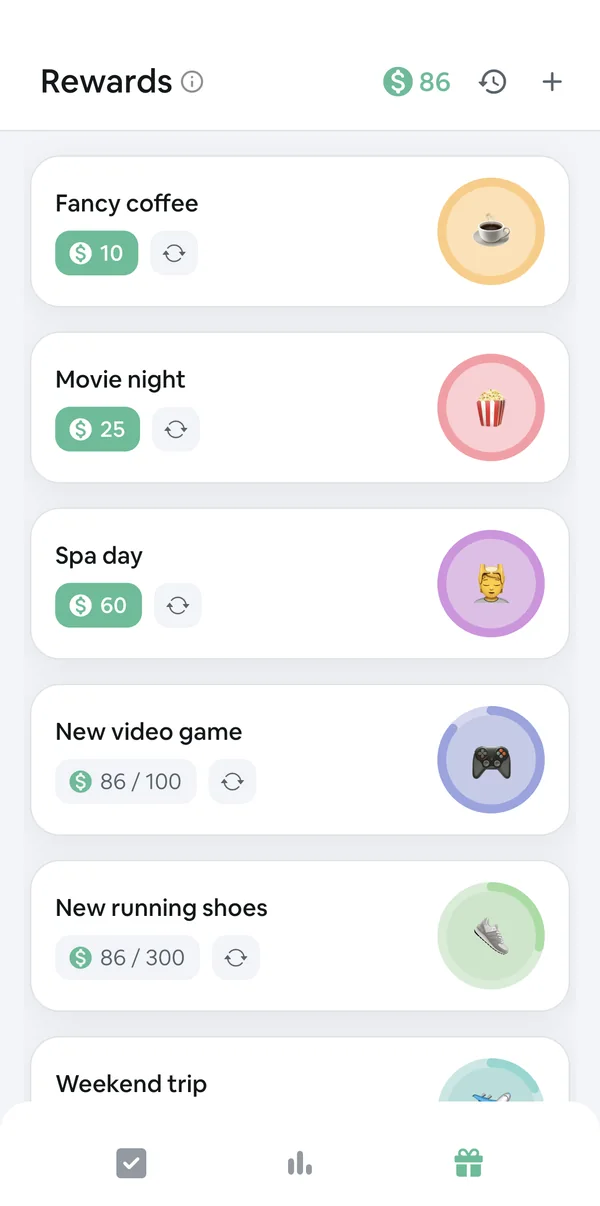
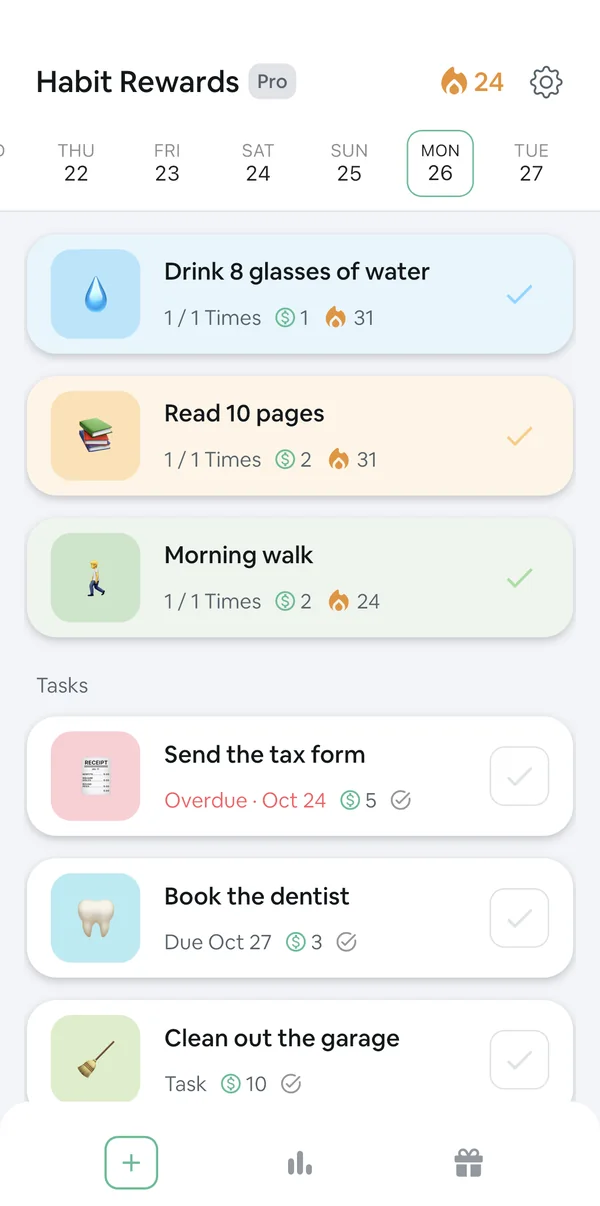
This one is ours. Every habit earns coins, and you pick how many: 1, 4, 8 or 16, or your own number, so the hard habits earn the most. You build a list of rewards, each with a coin price, and claim one when your balance covers it. Stuck for ideas? The app has a set of ready-made reward ideas to start from.
A few things that come from that one loop:
- Quit habits can cost you. For a habit you’re trying to stop, long-press it to mark a slip, and you lose coins instead of earning them.
- Skip keeps a streak alive. A Skip costs 10 coins, so a sick day doesn’t wipe out a long streak, but it isn’t free either.
- One-off tasks add to the same balance, so “book the dentist” can be worth 8 coins next to your daily habits.
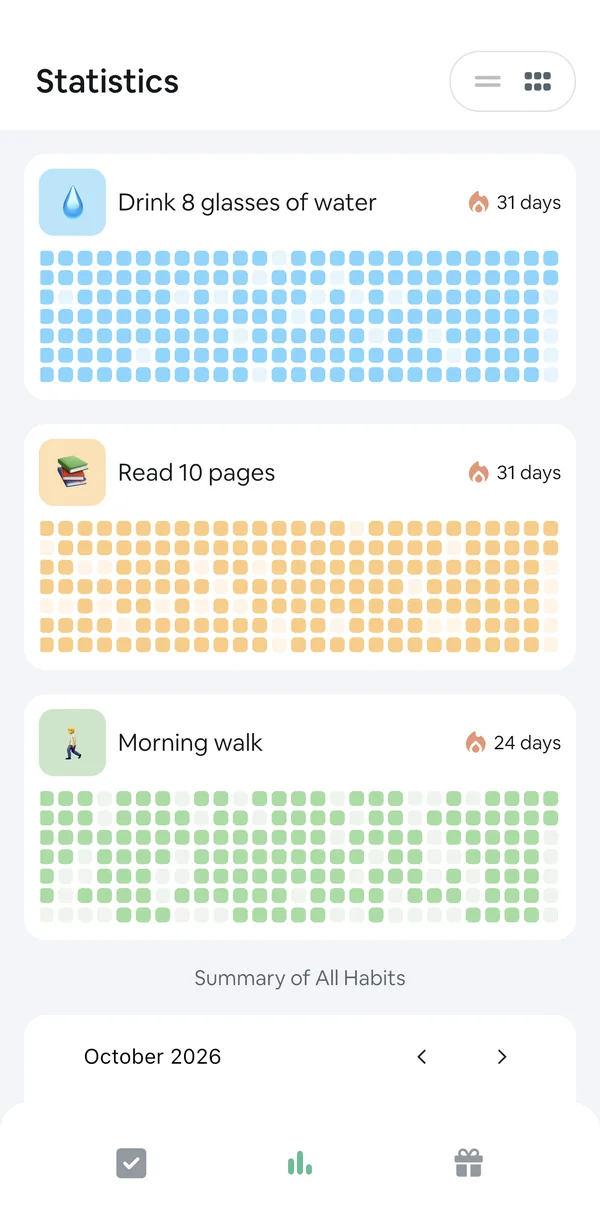
Habit Rewards is on iPhone and Android, with home-screen widgets on both. It’s free for three habits and three rewards (one-off tasks don’t count toward the limit); Pro removes the limits.
Good for: people who already treat themselves and want the treat to be earned.
Less good if: you want a game world, an avatar or a social feed. It’s deliberately just habits, coins and your rewards.
2. Habitica: the RPG
Habitica turns your habits, dailies and to-dos into a role-playing game. Checking things off earns Gold and experience for your pixel-art avatar. You can spend the Gold on gear, or add your own rewards to the Rewards column and buy them like anything else. Missed dailies cost your avatar health, and you can team up with friends in a party. The whole app is free; the subscription is optional.
Good for: people who love RPGs and want friends keeping them honest.
Less good if: you only want the reward part. Your own rewards sit next to a full game, and the game tends to take over. (More in apps like Habitica.)
3. LifeUp and ulives: build your own game
LifeUp lets you design the whole system: tasks earn coins and XP toward skills you invent, and you stock your own shop, setting each item’s price, how many are in stock and what happens when you use it. There are loot boxes, crafting and achievements too. LifeUp is Android only, a one-off $4.99 on Google Play. The same team’s newer app, ulives, is on iPhone and Android, free with a $9.99 Premium upgrade on the App Store; its Google Play page calls it LifeUp’s next-generation product (LifeUp for iPhone has the details).
Good for: people who enjoy building systems and want every rule to be theirs.
Less good if: you want to be set up in two minutes.
4. Rewardly: surprise points
Rewardly’s twist is randomness: completing a habit can drop points, sometimes a big drop, and you spend them on rewards you set yourself. It also has habit buddies (off unless you turn them on), widgets and habit-strength scores, and keeps your data on your device unless you share. iPhone and Android.
Good for: people who like a bit of a slot-machine surprise.
Less good if: you want to know exactly what each habit is worth. Random drops make it hard to price a reward in days of effort.
5. HabitScore: points and a history
HabitScore keeps it plain: daily, weekly and monthly habits earn points, and you redeem them for rewards you define, with a history of what you earned and spent. It can also track a bad habit against a limit, link a habit to Apple Health, and time a habit, and it has reminders, charts, a calendar view, a widget and dark mode. iPhone; we found no Android app from its developer.
Good for: a simple points-and-rewards tracker without a game layer.
Less good if: you’re on Android, or want to give hard habits more points than easy ones (the store page doesn’t mention it).
6. Fun Habit: points up and down
Fun Habit gives points for good habits and takes points off for behaviour you want to cut down, like late nights or impulse spending. Rewards go on a wish list with the points needed, from a rest day to a trip. Its store page also pitches it as a family points chart. On the App Store it’s an iPhone and iPad app with a $10.99 lifetime upgrade. Google Play has a “Fun Habit - Habit Tracker” with almost the same description under a different developer name, so we haven’t counted it as the same app.
Good for: people who want losses as well as gains, and families who want one points record.
Less good if: you’d rather not be penalised at all.
7. Goal Tracker and To Do: rewards tied to goals
This app (we listed it in October as “Goal Tracker: Challenges”, and it was “Habit Tracker: Goals & Rewards” before that) links habits, tasks and Pomodoro focus sessions to bigger goals. Every check-in earns points toward a reward catalog with thresholds you set, and focus sessions can earn points too. iPhone and Android.
Good for: people who think in goals first and habits second.
Less good if: you only want a short daily list. It has a lot of moving parts.
How do you pick a reward app?
Ask what you want the points to do.
- Buy treats you choose, with no game around it: Habit Rewards, HabitScore or Rewardly.
- Buy treats inside a game: Habitica or LifeUp / ulives.
- Go down as well as up: Fun Habit, or Habit Rewards’ Quit habits.
- Feed bigger goals: Goal Tracker and To Do.
- Earn points for focused study time instead: that’s a different category, focus timers that give you coins or grow trees: see apps like Study Bunny, apps like Forest and apps like Focus Friend.
Whichever you pick, the rewards decide whether it lasts. Price them in days of effort: something small for about a day of habits, a bigger treat for a good week, something you really want for a month. If you’d like to try the system on paper first, start with a reward chart for adults or the free browser reward tracker (it keeps your coin balance and prints a one-page sheet), and if you need ideas, here are 70 ways to reward yourself.
How do you start with Habit Rewards?
Habit Rewards is built around exactly this loop: habits earn coins, and coins buy rewards you price yourself.
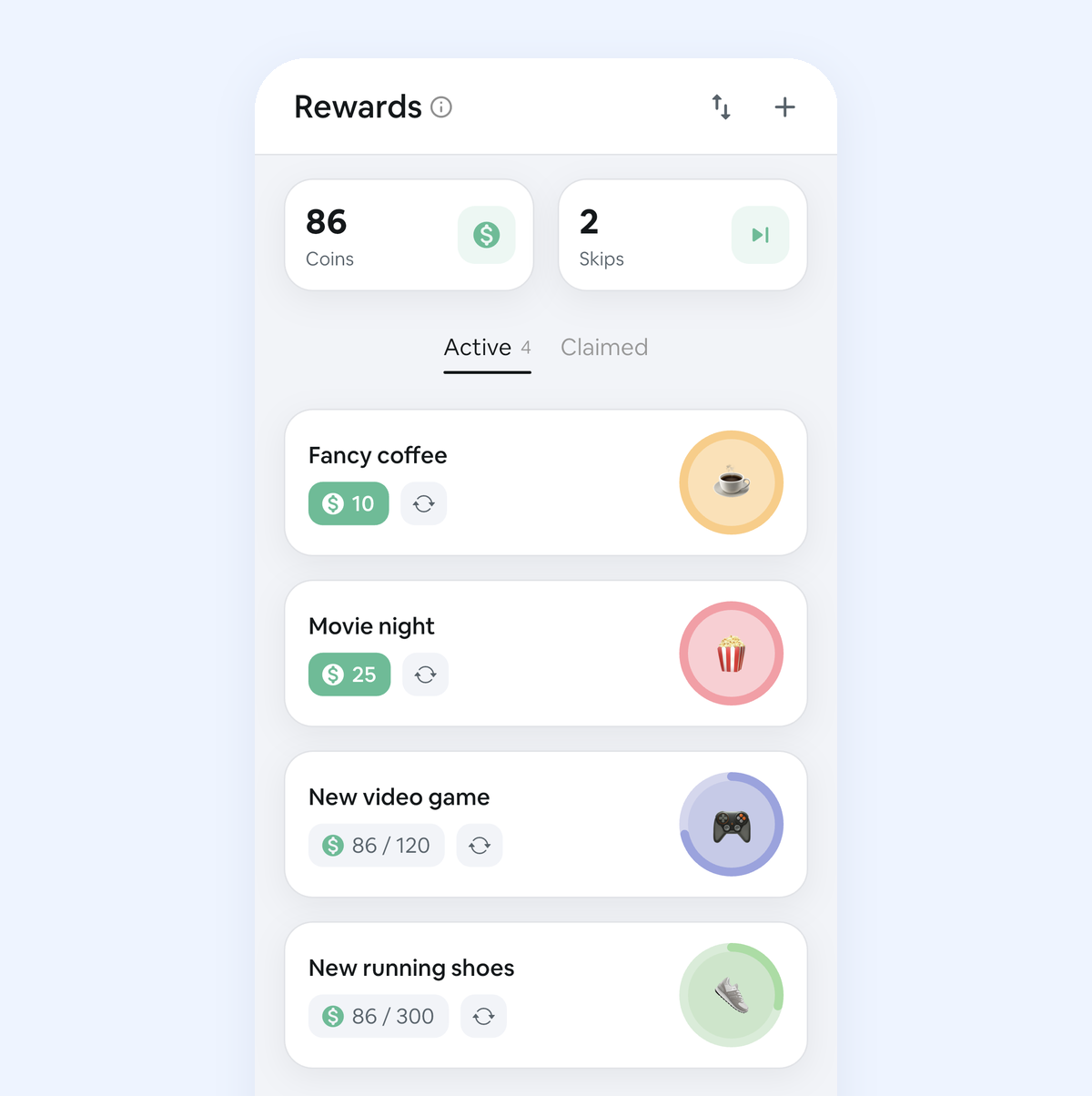
Add a habit, give it a coin value, add a reward with a price, and claim it when you’ve earned it. Three habits and three rewards are free on iPhone and Android.
Frequently asked questions
Is there an app that rewards you for completing habits?
Yes. Habit Rewards, Habitica, LifeUp / ulives, Rewardly, HabitScore, Fun Habit and Goal Tracker and To Do all give points or coins for finished habits that you can spend on rewards you set yourself. The app can’t buy you the coffee, but it decides when you’ve earned it.
Which habit tracker lets you buy rewards with points?
All seven apps in the table do. The plainest are Habit Rewards, HabitScore and Rewardly, where points simply buy the rewards you list. Habitica, LifeUp and ulives put the same idea inside a game, and Goal Tracker and To Do ties points to goals and focus sessions.
Is there a free habit tracker with a reward system?
Yes. Habitica is free with an optional subscription, and Habit Rewards, Rewardly, HabitScore, Fun Habit, Goal Tracker and To Do and ulives are free to start with a paid upgrade. Habit Rewards is free for three habits and three rewards. LifeUp is the exception: a one-time $4.99 purchase on Google Play.
Can I set my own rewards and prices?
Yes, in all seven. Habit Rewards, Rewardly and HabitScore let you write your own reward list, Fun Habit uses a wish list with the points each wish needs, and Goal Tracker and To Do has a reward catalog with thresholds you set. Habitica has a Rewards column, and LifeUp and ulives have a shop you stock and price.
What’s a self-reward system?
A deal with yourself: each habit earns points, each reward has a points price, and you only claim a reward when your balance covers it. Writing the prices down in advance is what stops “I deserve this” from happening every day.
Do any habit apps pay real money?
Not the habit trackers here. Apps that pay cash or gift cards usually do it for surveys, games or shopping, and some other apps offer partner vouchers. In a self-reward app, the reward is something you buy or allow yourself, earned with points.
How many points should a habit be worth?
Keep a few fixed levels, like 1, 4, 8 and 16, and give the most to the habit you’re most likely to skip. Then price rewards by how many days of habits they should take.
Is Habit Rewards free?
Yes, for three habits and three rewards, with coins, streaks, reminders and widgets. Pro removes the limits; in the US it’s $29.99 a year after a 7-day free trial.
Sources, all checked on November 12, 2026: each app's US App Store page (linked in the table; LifeUp's is its Google Play page), its Google Play listing and its developer's site, plus Habitica's FAQ for how health and the Rewards column work.
Try Habit Rewards: the habit tracker that rewards you
Every habit you check off earns you coins. Put a coin price on the treats you want and claim them once you've earned them. Free for three habits, on iPhone and Android.
 On a computer? Scan it with your phone to open the App Store or Google Play.

Using Notion?
Start with our free Notion habit tracker and formulas, or get the aesthetic Notion Habit Tracker template with heatmaps and streaks.
More articles you may be interested in:
- Free Notion Habit Tracker Templates (and How to Build Your Own)
- Trigger, Behavior, Reward: The Habit Loop Explained With Examples
- Advent Calendar Challenge Ideas 2026: 24 Small Habits (Free Printable)
- Holiday Run Streak 2026: Rules, Dates and a 37-Day Tracker
- Rewards for Achieving Goals: 80 Ideas, Sized to the Goal
- How to Reward Yourself Without Spending Money (and for Saving It)
Rather track it on your phone? In Habit Rewards every check-off earns coins, and you spend them on rewards you set yourself. Free on iPhone and Android for up to 3 habits.
Get the appFree habit tools and printables
Free, in your browser, no sign-up.