
A Notion habit tracker is a database with one row per day and one checkbox per habit. Everything else (progress bars, graphs, streaks, points) is formulas and views on top of that. You can duplicate a free template in a minute, or build your own in about ten.
Below are three free templates we’d actually start with, one paid template for people who want heatmaps and streaks without touching a formula, and then the build-it-yourself steps with formulas you can paste.
| If you want… | Start with |
|---|---|
| A free tracker with a daily progress bar and one-click buttons | Notion Habit Tracker With Progress Bar (ours, free) |
| The plainest possible tracker, nothing to learn | Minimalist Habit Tracker by Thomas Frank (free) |
| To build it step by step along with a video | Habit Tracker (Build with Me) by Notion Avenue (free) |
| Heatmaps, streaks and completion rates, ready made | Aesthetic Notion Habit Tracker With Grids (ours, paid) |
| To build your own and understand every part | The 10-minute build below |
1. Notion Habit Tracker With Progress Bar (free)
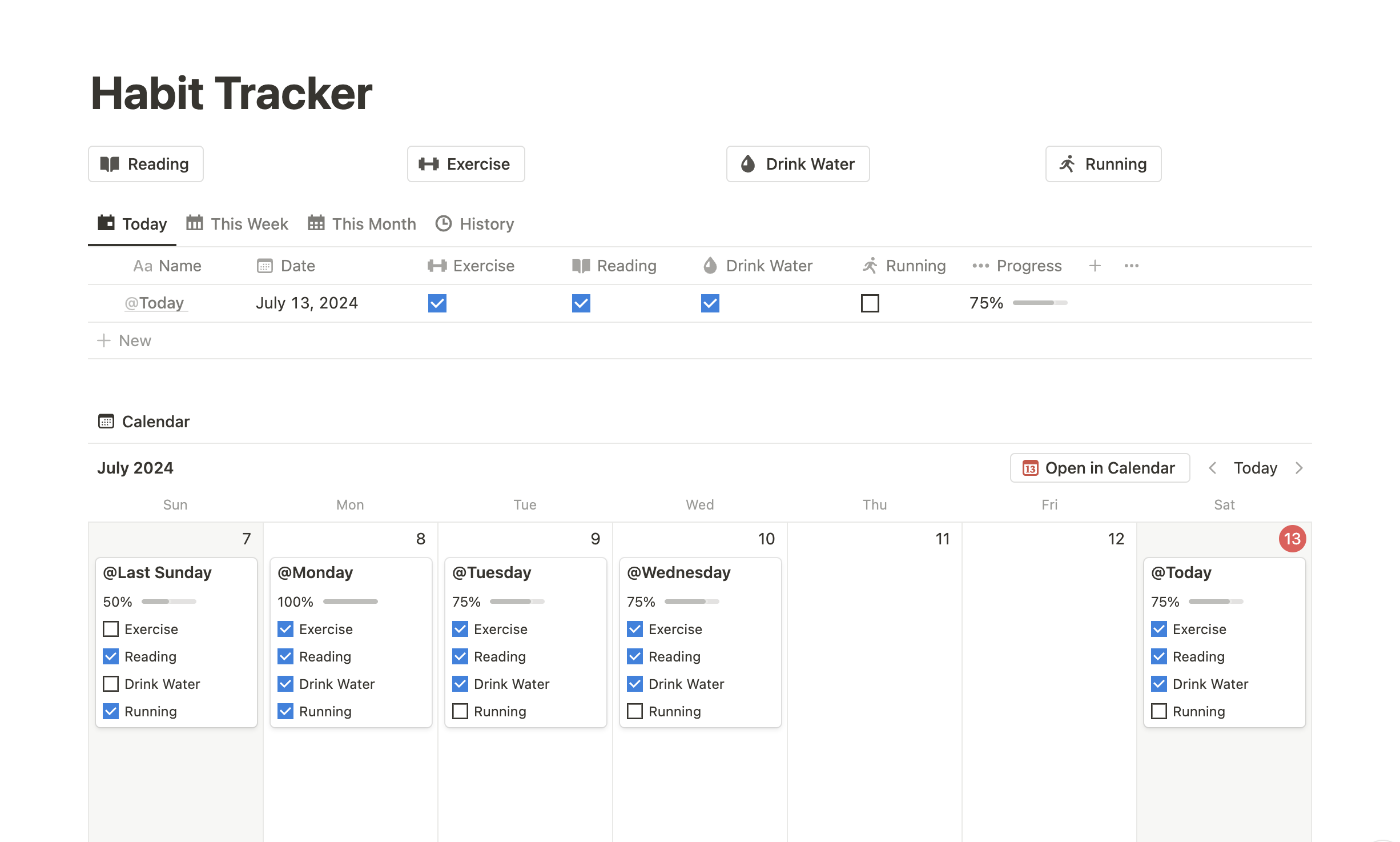
This is our free template. Each day is a row, each habit is a checkbox, and a progress bar fills up as you tick habits off. Buttons complete a habit for today without opening the row, and separate views let you look back over the week or month.
- Daily progress bar
- Buttons to complete habits
- Different views for looking back
It’s on our store as pay-what-you-want: enter $0 and it’s free. Get the Notion Habit Tracker With Progress Bar
2. Minimalist Habit Tracker by Thomas Frank (free)
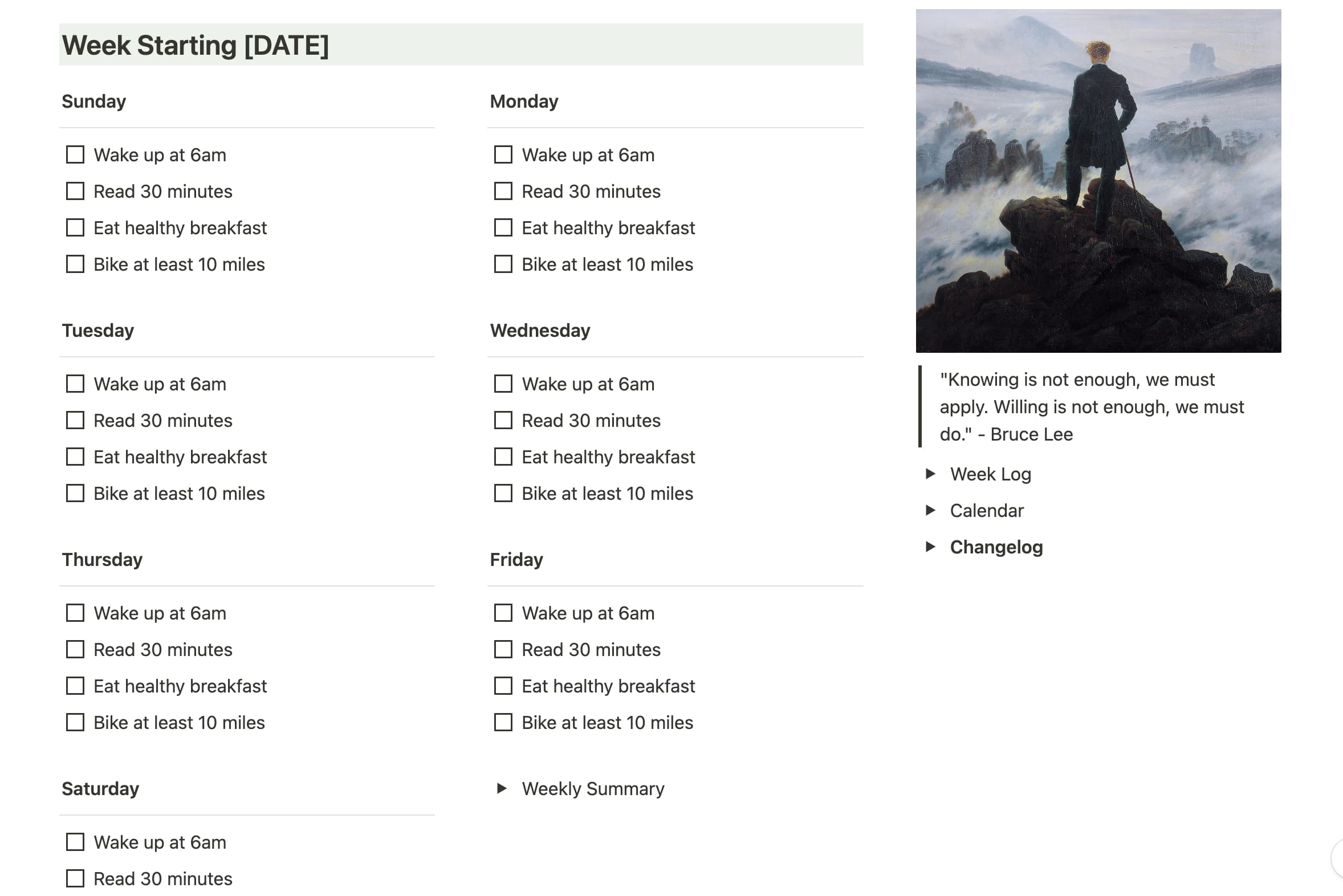
Thomas Frank’s tracker is in Notion’s own template gallery and describes itself as “a simple, worksheet-system habit tracker”. It’s the one to pick if you’ve never built anything in Notion: tick boxes, no formulas to maintain, nothing to break.
The trade-off is that it shows you very little. There’s no progress bar or graph, so if seeing progress is what keeps you going, start with one of the others. Minimalist Habit Tracker on Notion’s template gallery
3. Habit Tracker (Build with Me) by Notion Avenue (free)
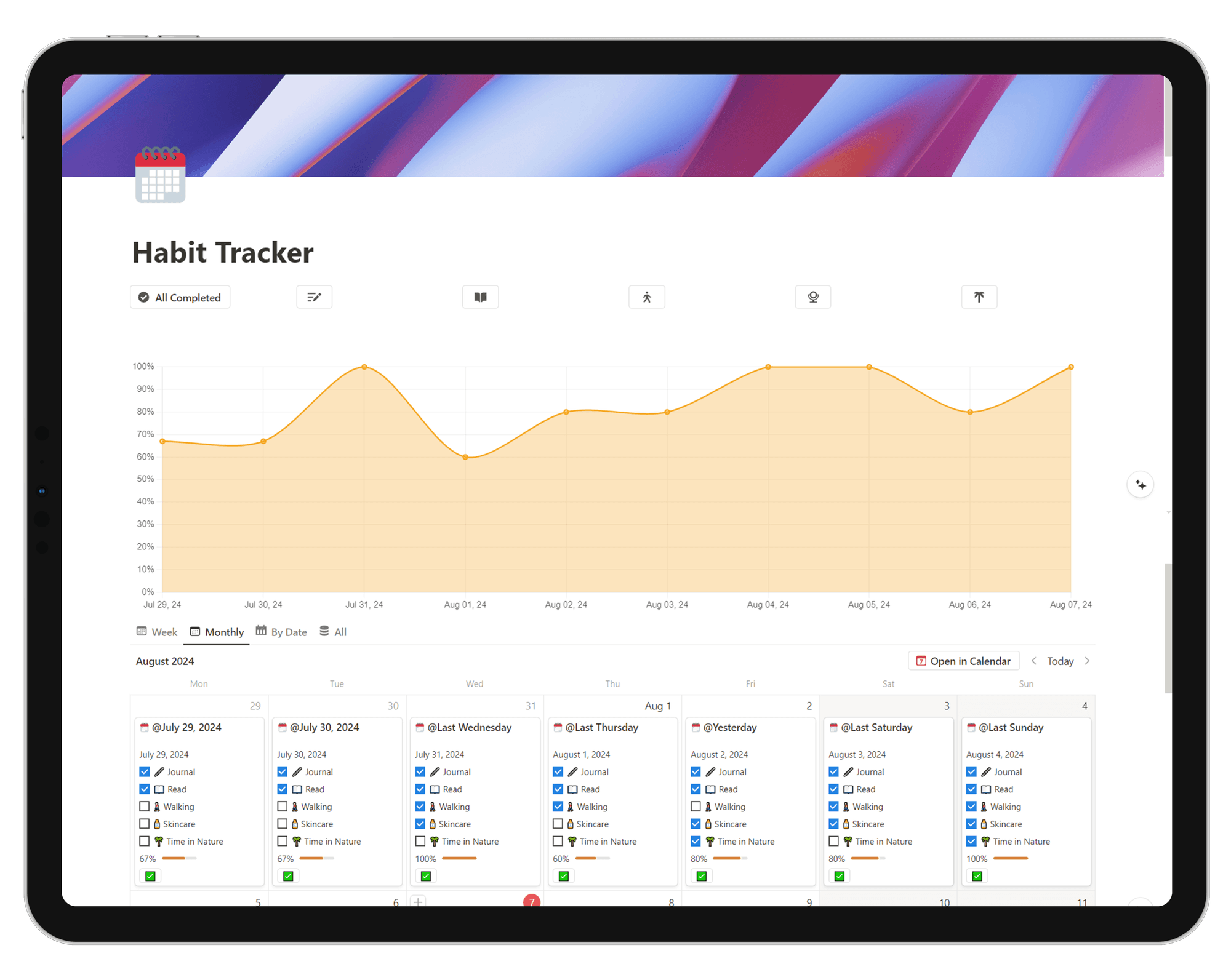
Notion Avenue’s free template comes with buttons and a graph, and a YouTube video that builds it with you step by step. It’s a good middle ground: you end up with a finished tracker and you know how every part of it works, so you can change it later. Habit Tracker (Build with Me) on Notion Avenue
4. Aesthetic Notion Habit Tracker With Grids (ours, paid)
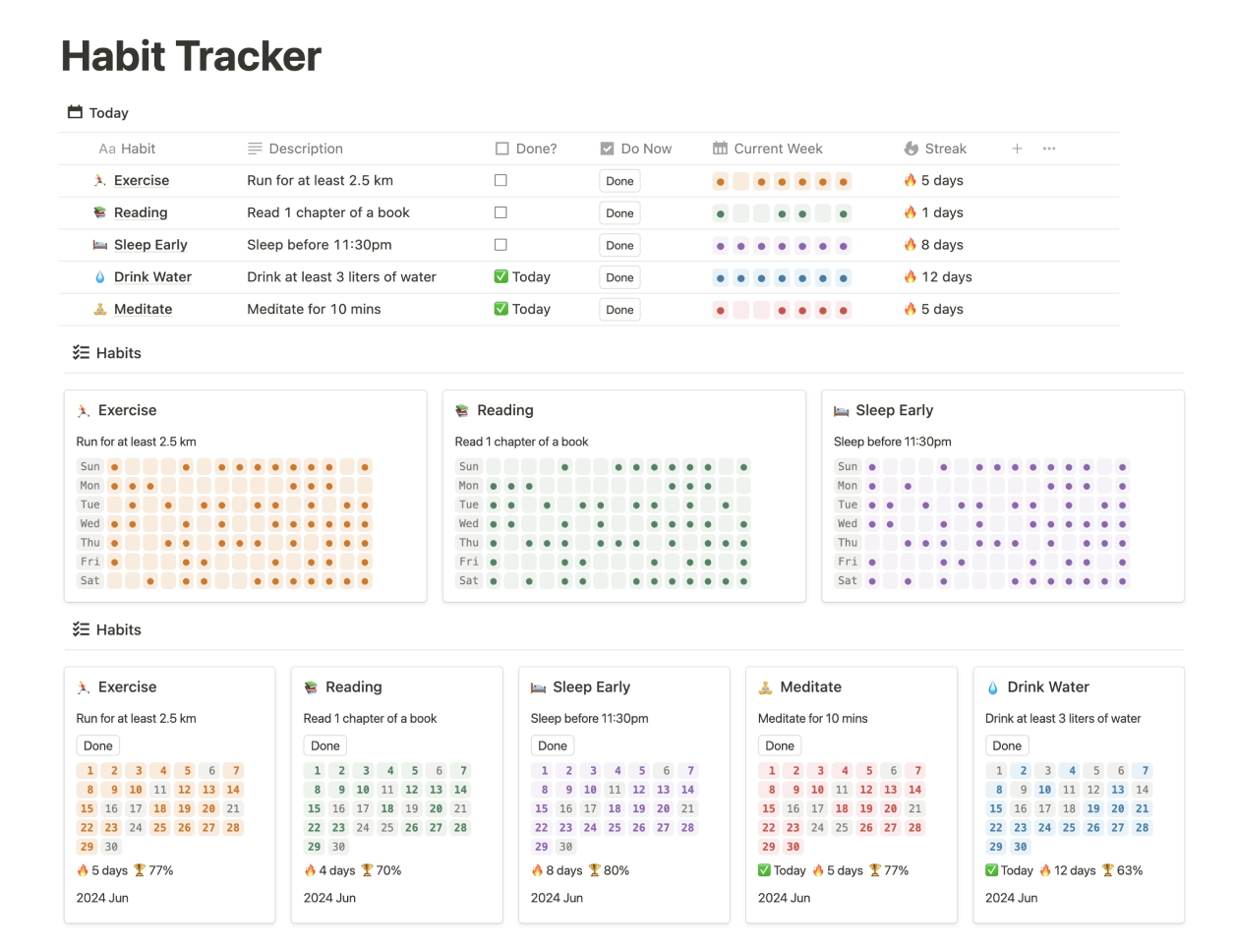
Our paid template is for people who want the full picture without writing formulas: an all-in-one dashboard, weekly view, monthly calendar, a heatmap per habit, streaks and completion rates. Clicking “Done” also creates an entry in Notion Calendar, and it works in dark mode and on mobile. It’s a one-time payment, not a subscription. See the Aesthetic Notion Habit Tracker
How to build a habit tracker in Notion (10 minutes)
If you’d rather build your own, here’s the whole thing. It works on Notion’s free plan.
Step 1: Make the daily log
- Create a new page and add a Database – Table. Call it “Daily log”.
- Rename the first column to Day and add a Date property.
- Add one Checkbox property per habit, for example Workout, Read and Water. Keep it to three to five; you can add more later.
Each morning (or each evening), add a row for the day and tick what you did. Notion’s database templates can pre-fill the date with “Today” so a new day takes one click.
Step 2: Add a progress bar
Add a Formula property called Progress and paste this, with your own habit names:
(if(prop("Workout"), 1, 0) + if(prop("Read"), 1, 0) + if(prop("Water"), 1, 0)) / 3
Change the 3 to the number of habits. Then open the property’s settings, set the number format to Percent and Show as: Bar. Every row now has a bar that fills as you tick habits off.
Step 3: Give each habit a point value
This is the part most Notion trackers skip, and the part that keeps people going after the first week. Give each habit a number of points by how hard it is, and spend those points on rewards you choose.
Add another Formula property called Points:
if(prop("Workout"), 4, 0) + if(prop("Read"), 1, 0) + if(prop("Water"), 1, 0)
Here a workout pays 4 points and the two easy habits pay 1 each. At the bottom of the Points column, click Calculate → Sum to see everything you’ve earned.
Step 4: Make a reward menu
Create a second table called “Rewards” with a Number property Cost. Write down three or four rewards and price them in points: a coffee out for 10, a movie night for 25, something bigger for 100. When you claim one, add a Spent number to that day’s row in the log and sum it the same way. Points earned minus points spent is your balance.
If you want ideas for what to put on the menu, we keep a list of 70 ways to reward yourself, and our guide to a token economy for adults covers how to price them.
Step 5: Views for the week and the month
Add a Calendar view of the same database to see the month at a glance, and a Table view filtered to “Date is within the past week” for a weekly check-in. That’s a working habit tracker.
What Notion is good at, and where it gets awkward
Notion is great when you want to shape the tracker yourself, when you already plan your days in it, and when you’d rather look at your habits on a big screen.
It gets awkward in two places:
- Streaks. A streak means looking across rows (“how many days in a row is Workout ticked?”), and Notion formulas work on one row at a time. Templates that show streaks use workarounds (relations, rollups and helper properties), which is a big part of why people pay for them.
- Checking in on your phone. Opening Notion, finding the page and the right row is fine at a desk and slow on a phone at 11 p.m. If a habit only counts when you remember to log it, those few seconds matter.
If those two are what keep breaking your streak, a habit tracker app may suit you better, and many people keep their planning in Notion and their daily check-ins in an app.
If you like the points idea: Habit Rewards
Habit Rewards is our app, and it’s the points system from step 3 without the setup. Each habit pays coins when you check it off (Easy 1, Medium 4, Hard 8, Extreme Hard 16), you make a list of rewards and give each one a coin price, and you claim them when you’ve earned enough. Streaks, reminders and stats are built in, and it’s free to start with up to three habits on iPhone and Android.
FAQ
Is there a free habit tracker template in Notion?
Yes. Notion’s template gallery has several, including Thomas Frank’s Minimalist Habit Tracker, and our Notion Habit Tracker With Progress Bar is free (pay what you want, $0 works). You can also build one in about ten minutes with the steps above.
Do I need a paid Notion plan for a habit tracker?
No. Everything in this guide, including formulas, progress bars and calendar views, works on Notion’s free plan for personal use.
How do I add a progress bar to a Notion habit tracker?
Add a formula that counts ticked checkboxes and divides by the number of habits, for example (if(prop("Workout"), 1, 0) + if(prop("Read"), 1, 0)) / 2. Then set the property’s number format to Percent and choose Show as: Bar (or Ring).
Can Notion track habit streaks?
Not directly. Formulas see one row at a time, so a streak needs a workaround with relations and rollups. Ready-made templates such as our Aesthetic Notion Habit Tracker do this for you; habit tracker apps count streaks automatically.
Can I use a Notion habit tracker on my phone?
Yes, in the Notion app on iPhone and Android. It works, but it’s slower than a dedicated habit app for a quick daily tick, so add a button or a pre-filled database template to keep it to a tap or two.
✅ Try Habit Rewards: the habit tracker that pays you
Every habit pays coins by how hard it is (1, 4, 8 or 16). Write your own reward list, put a coin price on each treat, and claim it once you've earned it.
- Daily, weekly and monthly habits, plus one-off tasks that pay coins
- Reminders, streaks and home-screen widgets
- A 10-coin Skip for the days you can't
- Free for three habits, on iPhone and Android
On a computer? Scan the code with your phone (it opens the App Store or Google Play), or get it on the App Store.
Using Notion?
Start with our free Notion habit tracker and formulas, or get the aesthetic Notion Habit Tracker template with heatmaps and streaks.
More articles you may be interested in:
- Free Notion Habit Tracker Templates (and How to Build Your Own)
- Trigger, Behavior, Reward: The Habit Loop Explained With Examples
- Tiimo Alternatives: 4 ADHD-Friendly Apps, Picked by What You Need
- How Long Does It Take to Form a Habit? 66 Days, Give or Take Months
- HabitKit Alternatives: 3 Habit Trackers for What HabitKit Doesn't Do
- Habit Visualization: 7 Ways to See Your Progress (and Which to Use)
Free habit tools and printables
Free, in your browser, no sign-up.