
You don’t need to download anything to start tracking habits on an iPhone. Apple’s Reminders app can repeat a task every day, remind you at a time or a place, and let you check things off from the Home Screen. Set it up right and it’s a perfectly good daily habit checklist. Where it stops is the part habit apps exist for: showing you how a habit is going over time.
The steps below follow Apple’s iPhone User Guide (iOS 27). Some features need your reminders stored in iCloud.
Step 1: Make each habit a repeating reminder
Create a reminder for the habit, like “Read 10 pages”. Tap the details button, turn on Date or Time, tap Repeat and choose how often: every day, on weekdays, every week, or a custom pattern.
Two options that help habits stick:
- Time: an alert at the moment you mean to do it, like 7am for a walk or 9pm for reading.
- Location: a reminder when you arrive somewhere, like “stretch” when you get home, or when you get into a car connected to your iPhone by Bluetooth.
Step 2: Tag them and make a Habits Smart List
Add a tag to each habit reminder, like #habit. Tags are one word (dashes and underscores are fine), and a reminder can have several, so a habit can stay in its normal list and still be tagged.
Then make a Smart List: tap the add-list button, choose List Type → Smart List, and filter by the #habit tag. Add a date filter for today if you only want today’s habits. Now you have one list that collects every habit, separate from your groceries and errands.
Step 3: Put it on your Home Screen
Add the Reminders widget and point it at your Habits list (touch and hold the widget → Edit Widget → choose the list). You can check items off from the Home Screen or Lock Screen without opening the app, which is most of what makes a habit checklist easy to keep using.
What Reminders can’t do for habits
When you tick off a repeating reminder, it simply moves to the next date. That’s perfect for a to-do and thin for a habit:
- No streaks. Reminders doesn’t count how many days in a row you’ve done something.
- No history per habit. Completed items do go to the Completed list (or show with Show Completed), but there’s no calendar or chart showing which days you read this month.
- No sense of progress. Nothing adds up. After a few weeks, a checklist that resets every morning is easy to stop opening.
If you just want a nudge at the right time, Reminders is enough, and it’s free and already there. If you want to see a habit build up, or want a reason to keep the chain going, add a habit app.
When to add a habit app
A habit tracker gives every habit its own streak and calendar, and most have widgets too. Ours, Habit Rewards, also gives you something to work toward. Every habit pays coins by how hard it is (1, 4, 8 or 16), you write your own rewards with a coin price, like a coffee out or a new game, and claim one when your balance covers it. Forgot to log yesterday? Check it off from the calendar. Need a day off? A 10-coin Skip keeps your streak alive. Each habit can have its own reminders, and there are Home Screen widgets for checking off. It’s on iPhone and Android, free for three habits and three rewards, with a Pro subscription for more.
Other options: Streaks if you want Apple Watch and a one-time price, HabitKit for a year-long grid per habit, or the full list, grouped by what motivates you. Living in Todoist instead? Here’s how to track habits in Todoist.
Start with two or three habits, not ten. Need ideas? Here are 100 habit tracker ideas, each with a suggested coin value.
Habit Rewards is free on iPhone and Android. Reminders is an Apple app; we’re not affiliated with Apple or the other apps mentioned. Reminders features as described in Apple’s iPhone User Guide on October 25, 2026.
✅ Try Habit Rewards: the habit tracker that pays you
Every habit pays coins by how hard it is (1, 4, 8 or 16). Write your own reward list, put a coin price on each treat, and claim it once you've earned it.
- Daily, weekly and monthly habits, plus one-off tasks that pay coins
- Reminders, streaks and home-screen widgets
- A 10-coin Skip for the days you can't
- Free for three habits, on iPhone and Android
On a computer? Scan the code with your phone (it opens the App Store or Google Play), or get it on the App Store.
Using Notion?
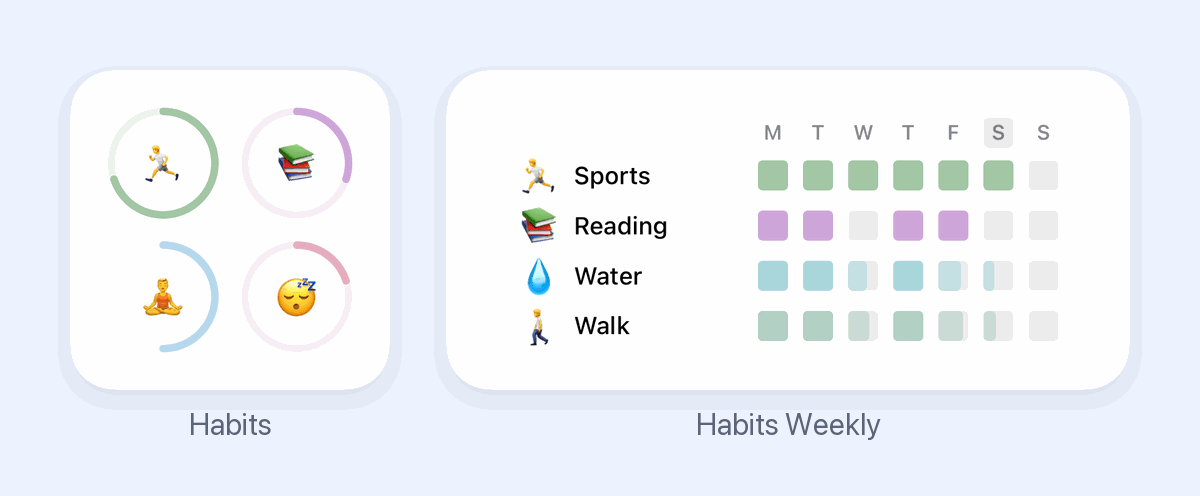
Start with our free Notion habit tracker and formulas, or get the aesthetic Notion Habit Tracker template with heatmaps and streaks.
More articles you may be interested in:
- Free Notion Habit Tracker Templates (and How to Build Your Own)
- Trigger, Behavior, Reward: The Habit Loop Explained With Examples
- Todoist Habit Tracker: How to Track Habits in Todoist (and Its Limits)
- TickTick Habit Tracker: Is It Free, and Is It Enough?
- (Not Boring) Habits for Android? 4 Apps That Feel the Same
- Streaks App Alternatives: Is Streaks Worth $5.99, and 4 Free Picks for iPhone
Rather track it on your phone? In Habit Rewards every check-off earns coins, and you spend them on rewards you set yourself. Free on iPhone and Android for up to 3 habits.
Get the appFree habit tools and printables
Free, in your browser, no sign-up.