
No Spend January is a one-month challenge: from January 1 to 31 you spend money only on things you put on an “allowed” list before you start, and everything else waits until February. It follows December for a reason: after the gifts, the food and the travel, January is the month most people want to stop the leak, and the post-Christmas sales are still running.
This guide gives you the rules most people use, a printable calendar for January 2027, and a free tracker that’s already set to start on January 1.
Open the No Spend January tracker → Pick your allowed and not-allowed lists, tap each no-spend day, print it if you like paper. It counts your longest run and the money you kept, and saves in your browser (no sign-up).
The rules
There’s no official rulebook; you write your own before January 1. Most people’s look like this:
Still allowed
- Rent, mortgage, bills and debt payments
- Groceries, from a list
- Medicine and anything health-related
- Getting to work or school (fuel, transit)
- Costs you already know about (a birthday, a renewal, a gym membership you already pay for)
Waits until February
- Takeout, delivery and coffee out
- Online shopping and “it’s in the sale”
- Clothes, shoes, beauty products
- New subscriptions, apps and in-game purchases
- New gym kit, planners and other “new year, new me” buys
Two rules make the difference between a challenge that lasts and one that ends on day 4:
- Anything not on the allowed list waits. No case-by-case debates at the till.
- Keep a 48-hour list. When you want something, write it down with the date. If you still want it on February 1, buy it then. Most of the list won’t survive the month.
Softer versions work too: “no spending on one category” (no takeout, no clothes) or “weekdays only”. Pick the version you’ll actually finish.
A calendar for January 2027
January 2027 starts on a Friday and has 31 days, so it spans six calendar rows. The days to watch are marked.
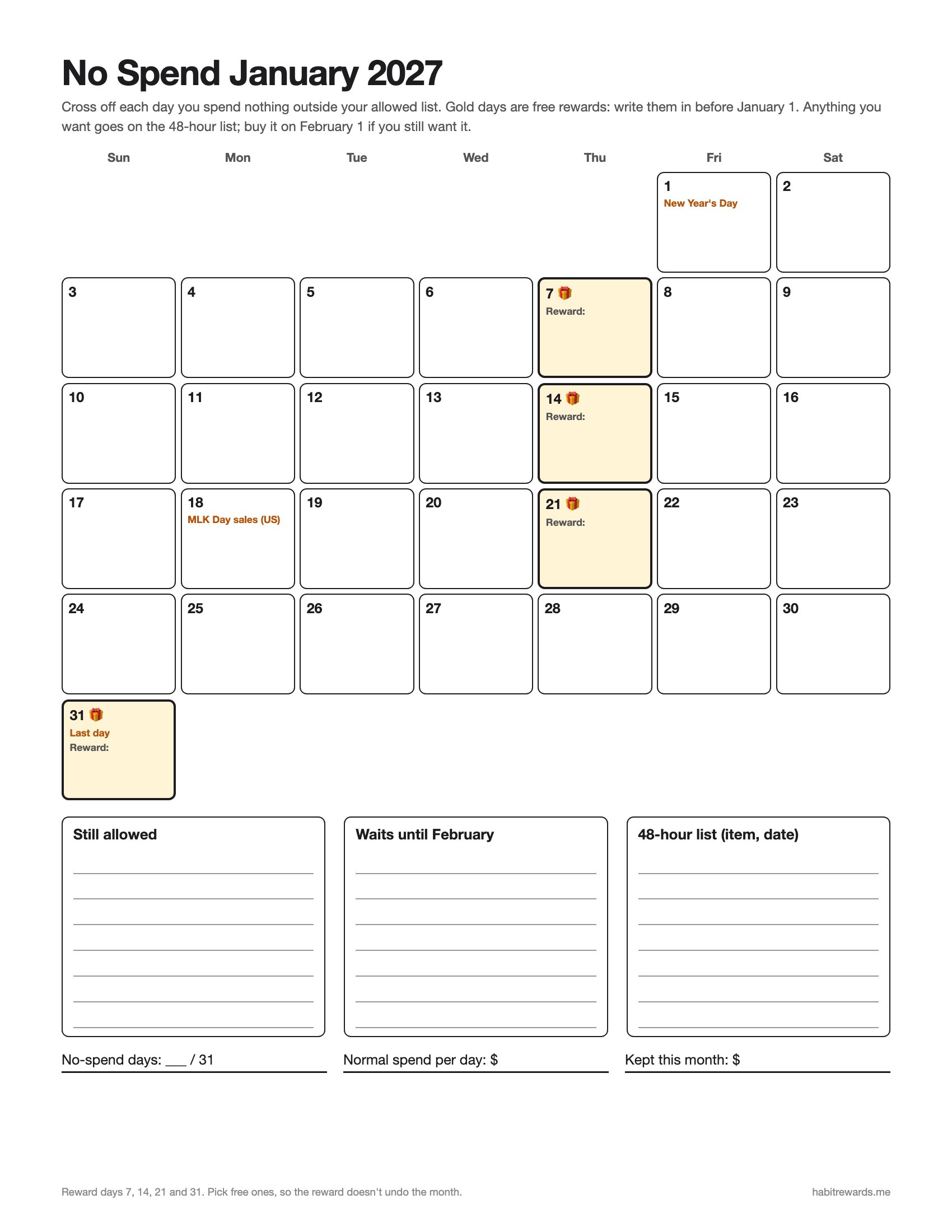
Download the No Spend January 2027 calendar (PDF, US Letter, prints on A4) → One page: the month with reward days on the 7th, 14th, 21st and 31st, and space for your allowed list, your waits-until-February list and the 48-hour list.
| Week | Dates | What to watch |
|---|---|---|
| 1 | Fri Jan 1 to Sat Jan 9 | A strong start, and the end of the sales. Unsubscribe from sale emails, delete saved cards from shopping sites, do a big grocery shop from a list. |
| 2 | Sun Jan 10 to Sat Jan 16 | The first real test: the “I’ve done a week, I deserve it” weekend. Plan a free reward instead. |
| 3 | Sun Jan 17 to Sat Jan 23 | MLK Day (Mon Jan 18) brings another round of US sales. They’re still not on the list. |
| 4 | Sun Jan 24 to Sat Jan 30 | The long stretch before payday for many people. Cook from the cupboard, plan cheap weekends. |
| 5 | Sun Jan 31 | Last day. Your 48-hour list will still be there tomorrow. |
Getting through the January sales
- Decide before the ads do. If there’s something you genuinely need and it’s cheaper in the sale, put that one item (with a price cap) on the allowed list now. Everything else on sale is still not on the list.
- Gift cards from Christmas can wait too. They don’t expire in a month, and in February you’ll be glad of them.
- “New year, new me” kit is the trap. Start the habit with what you own: running in old trainers, a free app, a notebook you already have.
- Add sale finds to the 48-hour list with the price. On February 1 you can check whether it was really a deal.
How much can you save?
Add up what you’d spend on non-essentials on a normal day (coffee out, lunch out, the odd online order). Over 31 days:
| Normal extra spending a day | Kept in January |
|---|---|
| $5 | $155 |
| $10 | $310 |
| $15 | $465 |
| $25 | $775 |
The tracker does this sum for you: type your daily figure and it counts the money kept on each no-spend day. Paying off December? Colour it in on the free debt payoff tracker printable. Want it to last all year? Start the 52 week savings challenge or read how to do a no buy year.
Free rewards along the way
Rewards keep a challenge going, but a shopping trip at the halfway point undoes it. Use free ones:
- Every no-spend day: a guilt-free episode, 20 minutes of a game, an early night
- First full week: a library haul, a long walk somewhere new
- Halfway (Jan 15 or 16): a film night at home with what’s already in the cupboard, a games night with friends
- The end: move what you kept to savings, and keep a small share (say 10%) for one thing from your 48-hour list
Sixty free ones in how to reward yourself without spending money, more sorted by cost in ways to reward yourself.
When you slip
Mark the day as spent and move on. A slip doesn’t cancel the days before it. Look at what caused it (tired, bored, a sale email, a friend’s plan) and add a rule for it. Then make the next day a no-spend day: “never miss twice” is what keeps a streak alive.
Track it on your phone
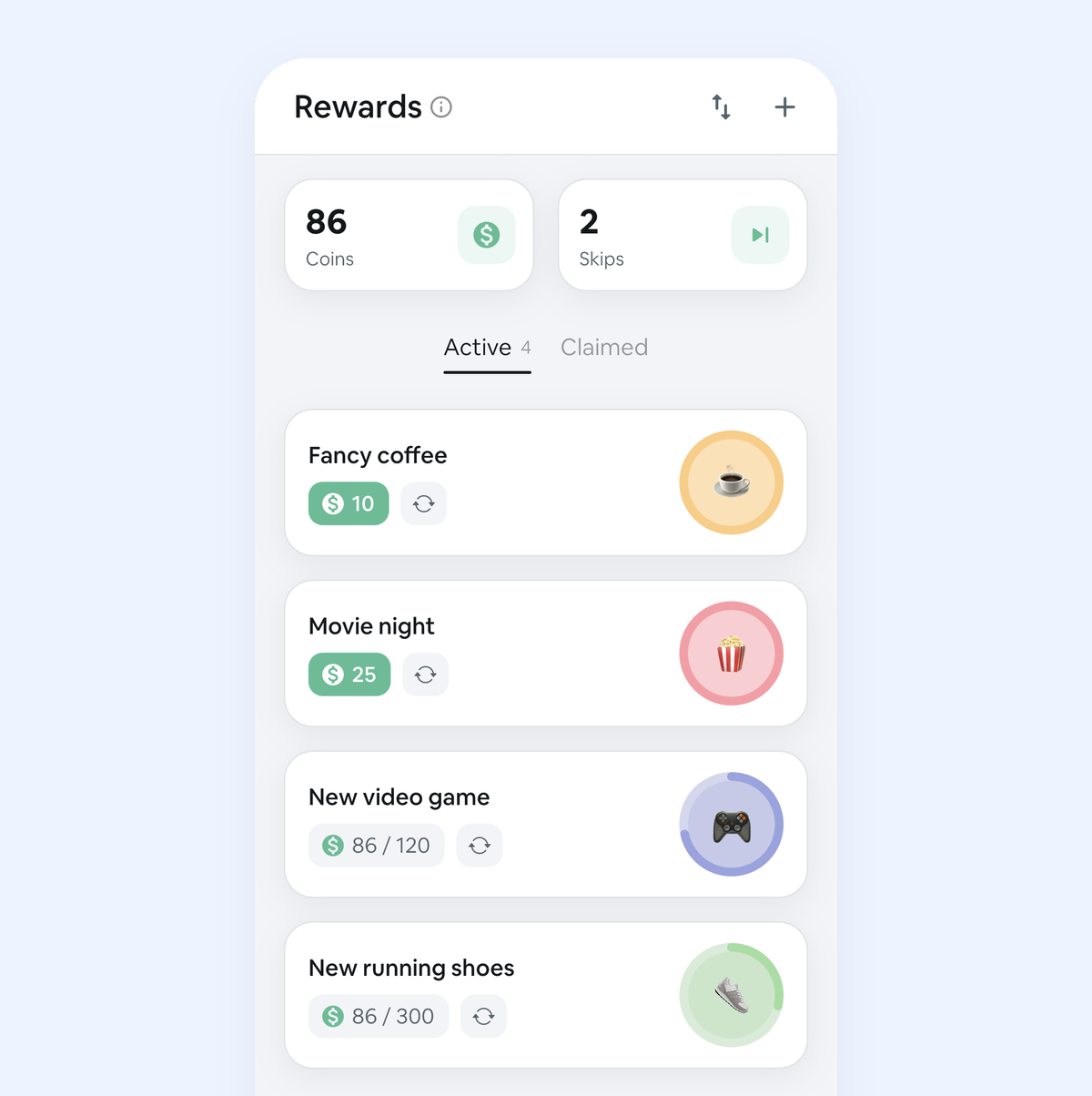
In our app, Habit Rewards, add “No-spend day” as a daily habit and check it off each evening. Each check-off pays coins, the app keeps your streak and reminds you, and you spend the coins on rewards you write and price yourself, which is where the free rewards above go. It’s free for three habits and three rewards on iPhone and Android.
Doing Dry January as well? Use the Dry January tracker. More January plans: realistic New Year’s resolutions. Any other month: the undated 30-day no-spend printable. Next month, a gentler version: Frugal February.
FAQ
What is No Spend January? A one-month challenge where you spend money only on essentials you list in advance (bills, groceries, transport) from January 1 to 31, and put everything else off until February.
What are the rules for No Spend January? You set them. The usual set: bills, rent, groceries from a list, medicine and transport are allowed; takeout, coffee out, online shopping, clothes and new subscriptions wait. Write both lists before January 1 so you never have to decide at the till.
Can you buy groceries during No Spend January? Yes, almost everyone allows groceries from a list. The point is to catch the extras, not to stop eating.
Is there a printable No Spend January calendar? Yes: download the free PDF calendar (Jan 1 to 31, 2027, reward days marked), or open the tracker (it starts on January 1), set your rules and press Print my tracker for a one-page calendar with your lists.
Can I do No Spend January and Dry January together? Yes, and they help each other: drinks out are often the biggest line on a January bill. Track them as two habits so one slip doesn’t feel like failing both.
What if I don’t make it all 31 days? Count the no-spend days, not the slips. Twenty no-spend days is still twenty days of money kept, and the tracker shows your longest run.
✅ Try Habit Rewards: the habit tracker that pays you
Every habit pays coins by how hard it is (1, 4, 8 or 16). Write your own reward list, put a coin price on each treat, and claim it once you've earned it.
- Daily, weekly and monthly habits, plus one-off tasks that pay coins
- Reminders, streaks and home-screen widgets
- A 10-coin Skip for the days you can't
- Free for three habits, on iPhone and Android
On a computer? Scan the code with your phone (it opens the App Store or Google Play), or get it on the App Store.

Using Notion?
Start with our free Notion habit tracker and formulas, or get the aesthetic Notion Habit Tracker template with heatmaps and streaks.
More articles you may be interested in:
- Free Notion Habit Tracker Templates (and How to Build Your Own)
- Trigger, Behavior, Reward: The Habit Loop Explained With Examples
- Rewards for Achieving Goals: 80 Ideas, Sized to the Goal
- How to Reward Yourself Without Spending Money (and for Saving It)
- Non-Food Rewards for Adults: 75 Ideas (and How to Stop Rewarding Yourself with Food)
- No Buy Year 2027: Rules, a Low-Buy Version and a Free Template (PDF)
Rather track it on your phone? In Habit Rewards every check-off earns coins, and you spend them on rewards you set yourself. Free on iPhone and Android for up to 3 habits.
Get the appFree habit tools and printables
Free, in your browser, no sign-up.