
Loop Habit Tracker is the habit tracker a lot of Android users swear by: free, open source, no ads, no account. If you’ve just moved from Android to an iPhone, it’s natural to look for it in the App Store. Here’s the short answer: Loop isn’t on the iPhone. It’s made by volunteers and installed from Google Play, F-Droid or as an APK, and there’s no iOS version.
Search the App Store for “Loop habit tracker” and you’ll still find several apps with Loop in the name. They’re by other developers and aren’t the open-source Loop, so check the seller before you download one expecting the same app.
Below are four iPhone habit trackers that cover what people like about Loop. One of them is ours, Habit Rewards; we’ve tried to describe the others fairly.
What Loop does, and what to look for
Loop’s best idea is its habit score: every check-in makes a habit stronger and every miss makes it weaker, so a few missed days after a long run don’t wipe out your progress the way a broken streak does. It also handles schedules like “3 times a week” or “every other day”, puts a reminder on each habit, has home-screen widgets, exports to CSV, and never sends your data anywhere.
So on the iPhone you’ll want: schedules that aren’t just “every day”, something that forgives a bad day, widgets, and a clear answer on what happens to your data.
| If you want… | Try |
|---|---|
| The closest thing to Loop: free, open source, no account, on iPhone and Android | Habo |
| A polished Apple-only app you pay for once | Streaks |
| A year of progress in one colorful grid, on iPhone and Android | HabitKit |
| A reward for keeping at it, on iPhone and Android | Habit Rewards |
Before you switch, open Loop on your old phone and export your history to CSV, so you keep the record whichever app you pick.
1. Habo: the open-source pick
Habo is the nearest match in spirit. It’s free and open source (the code is on GitHub), with no ads, no account needed and offline use. You get reminders, a monthly calendar of completions, notes on each check-in, streak stats, and export and backup. A day can be marked done, missed, or skipped, and a skip doesn’t break your streak, which goes some way toward Loop’s forgiveness. It runs on iPhone and Android, with an optional paid end-to-end encrypted sync between devices.
Good for: Loop fans who care most about open source and privacy.
Less good if: you’ll miss Loop’s habit-strength chart and detailed graphs.
2. Streaks: the Apple classic
Streaks is one of the best-known habit trackers on the iPhone, rated 4.8 from more than 27,000 US App Store ratings, and it’s a one-time $5.99 purchase with no subscription. It keeps you to at most 24 tasks, each a big round button you tap when it’s done. Tasks can run on set days or a number of times a week, and with Apple Health it can tick off things like steps or a workout by itself. It runs on iPhone, iPad, Apple Watch and Mac, not on Android.
Good for: people who liked that Loop has no subscription and are happy to pay once for polish.
Less good if: someone in your house is still on Android.
3. HabitKit: the grid
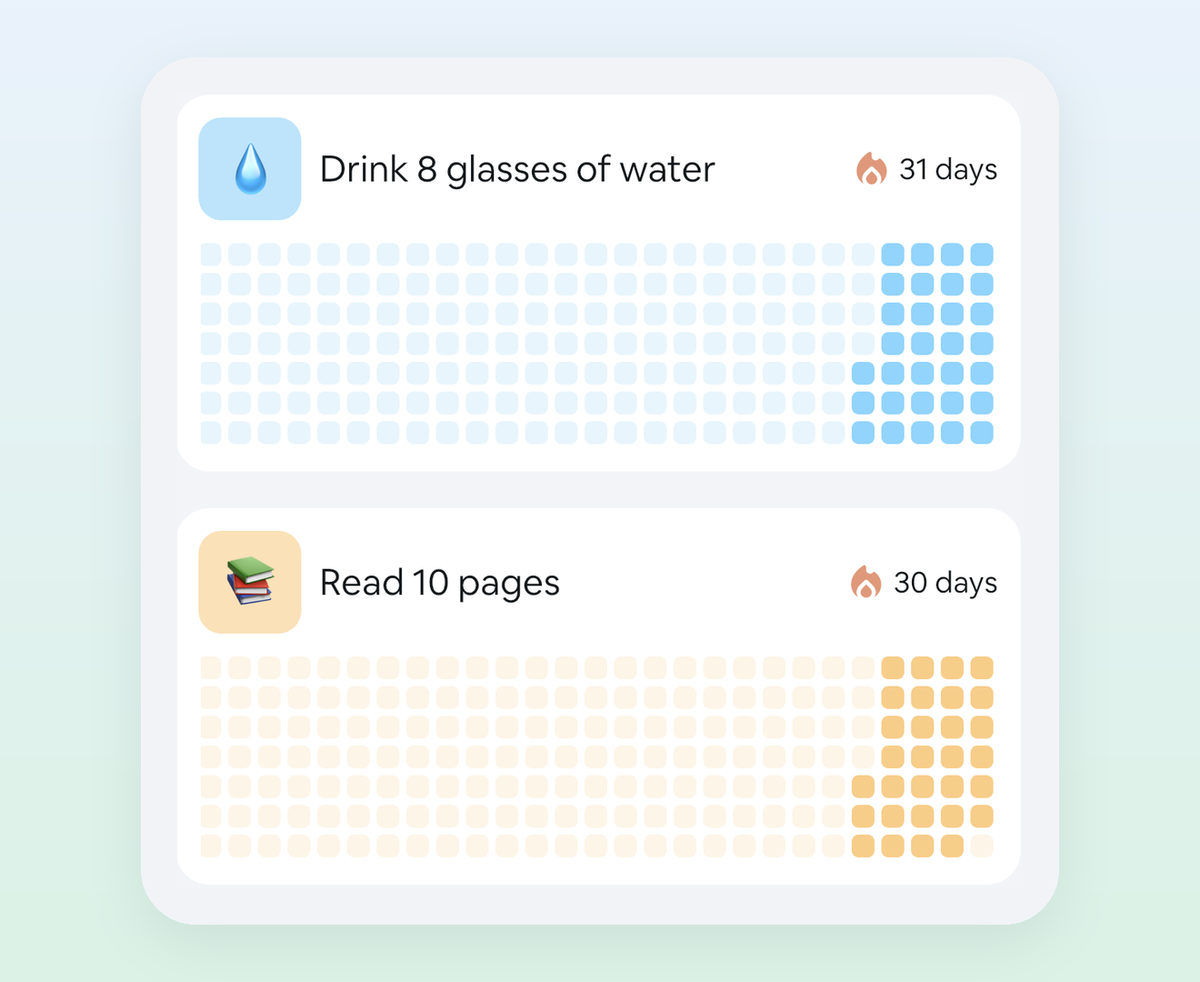
HabitKit shows each habit as a year-long grid of tiles, filling in day by day. It supports goals like “3 times a week” or “20 times a month”, has widgets for the grids and streaks, and works offline with no account. It’s on iPhone and Android, free for up to four habits, with Pro as a subscription or a one-time lifetime purchase.
Good for: people who loved Loop’s history view and want it to look great.
Less good if: seeing the grid fill up isn’t enough to keep you going.
4. Habit Rewards: progress that pays you
This one’s ours. It covers the basics you’d expect from Loop (daily, weekly and monthly habits, habits you do several times a day, a reminder per habit, home-screen widgets) and adds a reward for keeping at it. Every habit pays coins by how hard it is (1, 4, 8 or 16). You write your own list of rewards, like a coffee out, a new game or a lazy Sunday, each with a coin price, and claim one when your balance covers it. One-off to-dos go in as tasks and pay coins too.
For bad days, Loop’s score forgives a miss; Habit Rewards lets you spend 10 coins on a Skip that keeps your streak alive. It’s on iPhone and Android, free for three habits, with a Pro subscription for more.
Good for: people for whom a score or a streak stopped being enough, and anyone who already treats themselves and would rather earn it.
Less good if: you want open source, or a tracker that never asks you to sign in or subscribe.
Which one?
If what you loved about Loop was free, open source and private, install Habo. If it was “no subscription” and you don’t mind paying a few dollars, Streaks is the polished Apple choice. If you mostly looked at the history, HabitKit’s grid is the nicest version of it. And if you’ve noticed that scores and streaks keep you going for a few weeks and then stop mattering, try putting a reward at the end of them: that’s what Habit Rewards is for.
Whichever you choose, start with three habits, not twenty. Need ideas? Here are 100 habit tracker ideas, each with a suggested coin value. Moving from HabitNow too? See HabitNow for iPhone. Going the other way, from iPhone to Android? See Streaks for Android. The whole field, grouped by what motivates you: the best habit tracker apps.
Habit Rewards is free on iPhone and Android. Loop Habit Tracker is an open-source project by its volunteer developers; we’re not affiliated with it or with the other apps mentioned.
✅ Try Habit Rewards: the habit tracker that pays you
Every habit pays coins by how hard it is (1, 4, 8 or 16). Write your own reward list, put a coin price on each treat, and claim it once you've earned it.
- Daily, weekly and monthly habits, plus one-off tasks that pay coins
- Reminders, streaks and home-screen widgets
- A 10-coin Skip for the days you can't
- Free for three habits, on iPhone and Android
On a computer? Get it on the App Store, or search "Habit Rewards" on Google Play.

Using Notion?
Build better habits and achieve your goals with this nice Notion Habit Tracker template.
More articles you may be interested in:
Free habit tools and printables
Free, in your browser, no sign-up.